Manual updates
note
Tier: Enterprise
Overview
You can configure Passwd updates to run only when triggered manually. This is useful when you want full control over when deployments are executed.
❗️ Disclaimer
Manual updates can cause version drift between your Passwd backend and client applications. Browser extensions and mobile apps may not always be backwards compatible, so delayed deployments can break some features until your instance is updated.
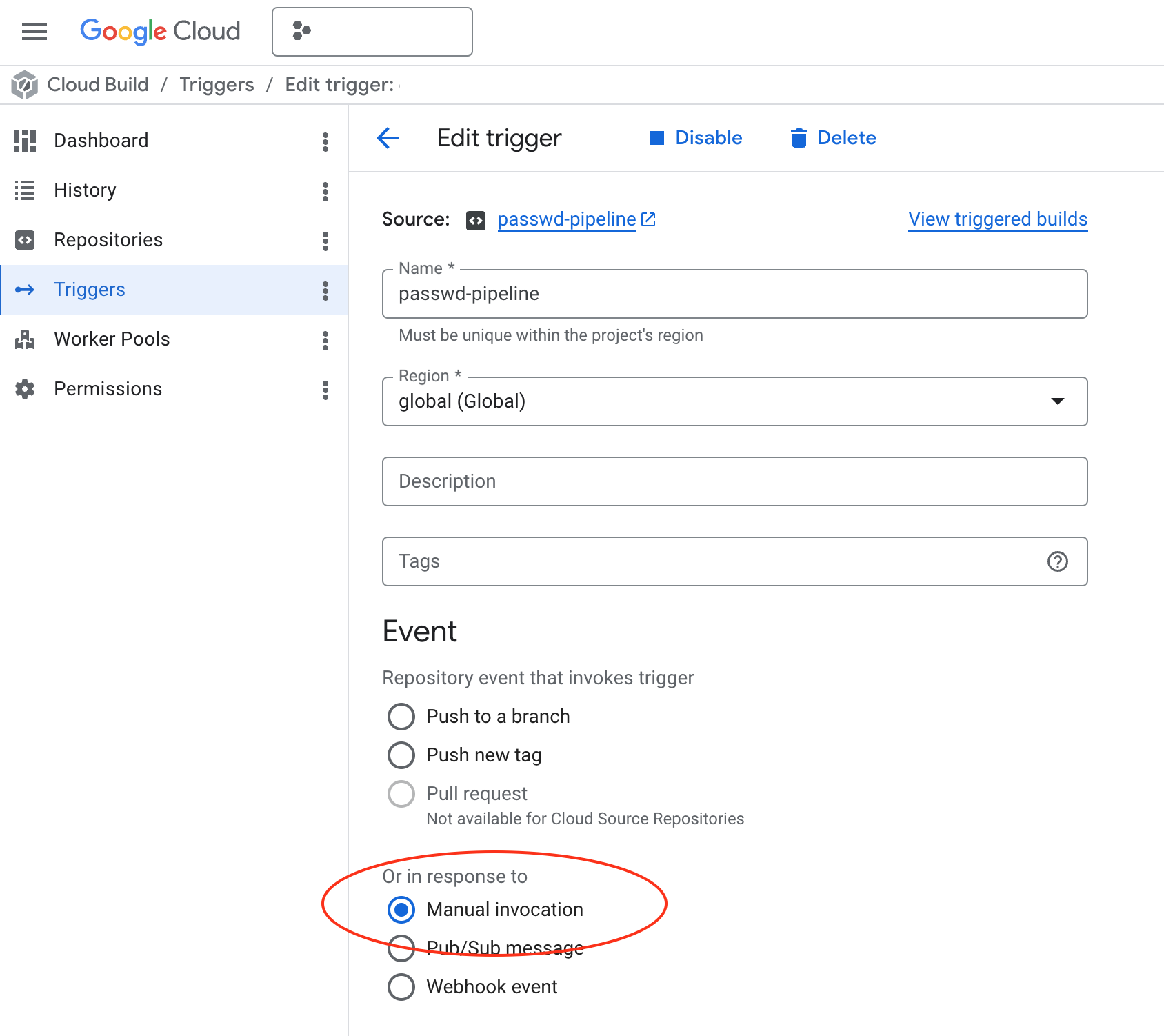
Enable manual invocation
- Go to Google Cloud Console -> Cloud Build -> Triggers.
- Find the
passwd-pipelinetrigger. - Click Edit on
passwd-pipeline. - Change the event to Manual invocation.
- Save the trigger.
What changes after this
- New updates will not run automatically from repository events.
- You must trigger the pipeline manually from Cloud Build when you want to deploy changes.