Autofill
Android
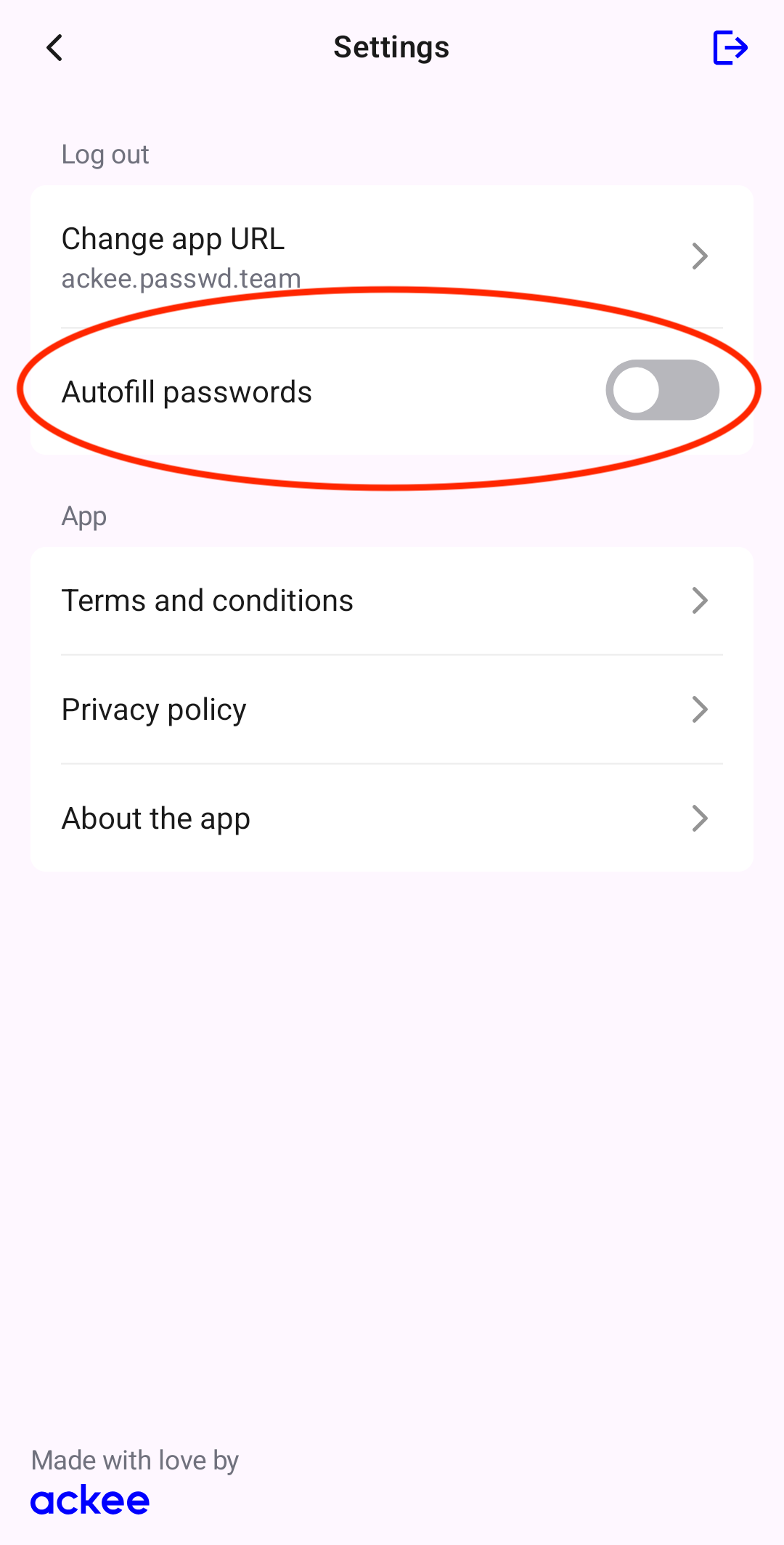
On Android you have to enable autofill with Passwd. First head to the app Settings and enable Autofill passwords. You'll be redirected to Android Settings to turn this on. This may vary depending on your device.
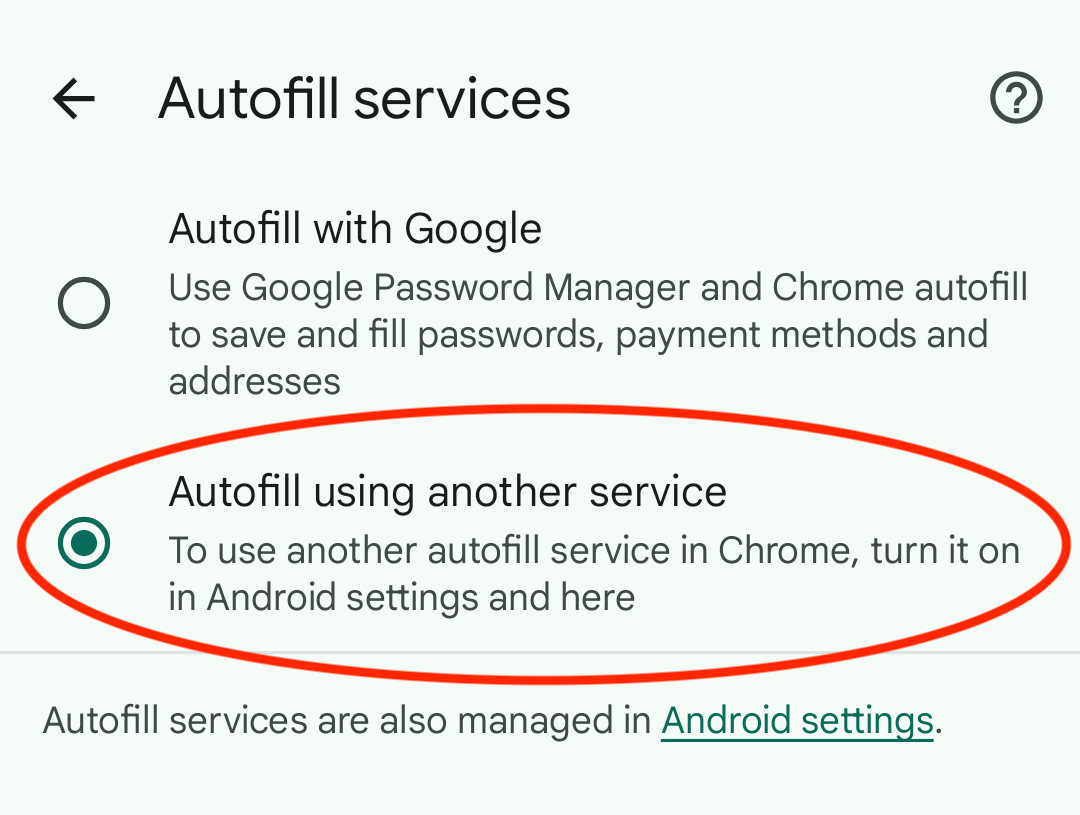
Next, enable autofill in your browser. In Google Chrome, go to Settings > Autofill services and select Autofill using another service.
iOS
iOS 26
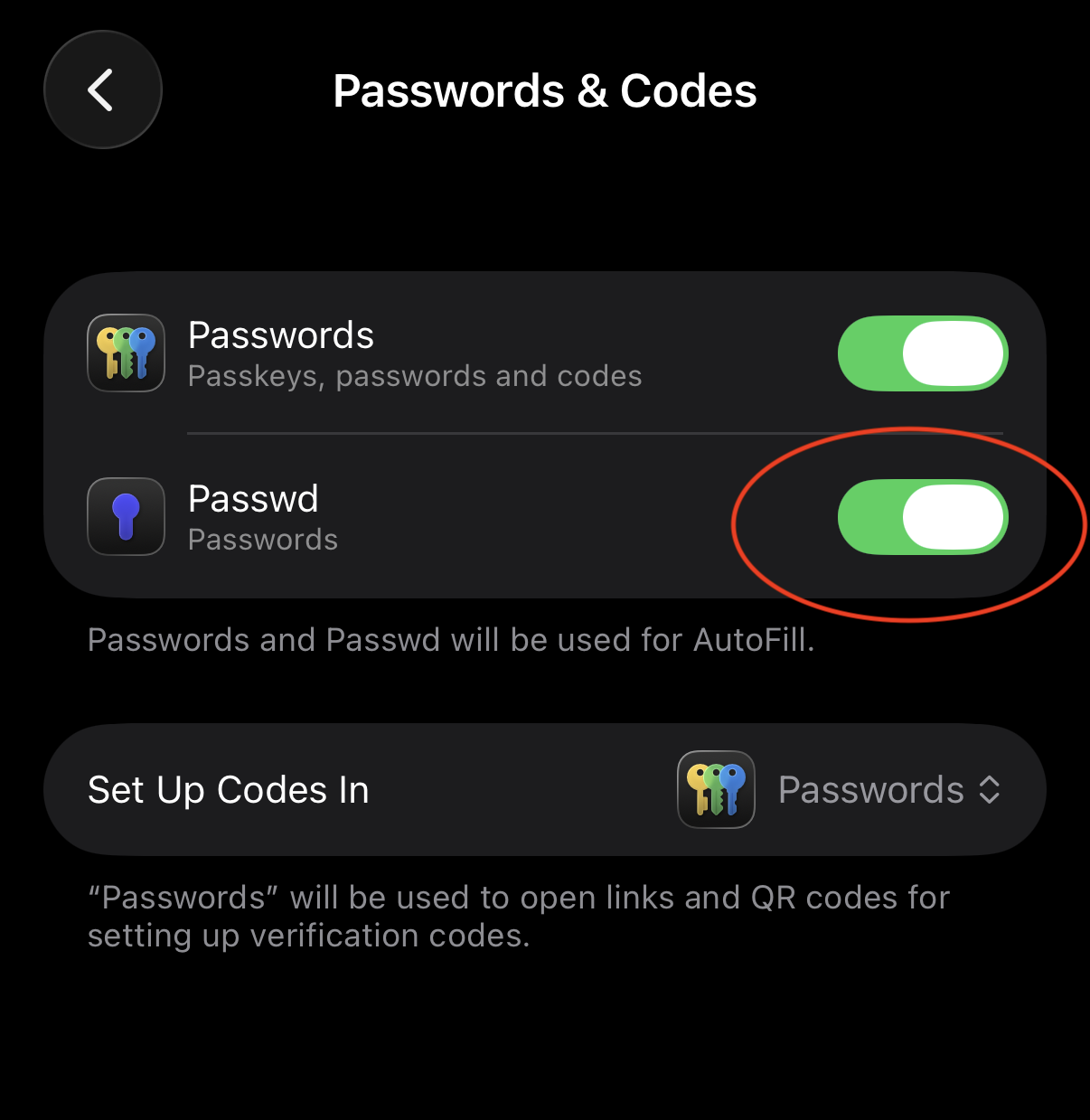
On iOS 26, go to Settings > Apps > Default Apps. Under Default Apps, find Passwords & Codes and turn on autofill with Passwd.