Create record
Tier: Free, Professional, Enterprise
1. Select secret type
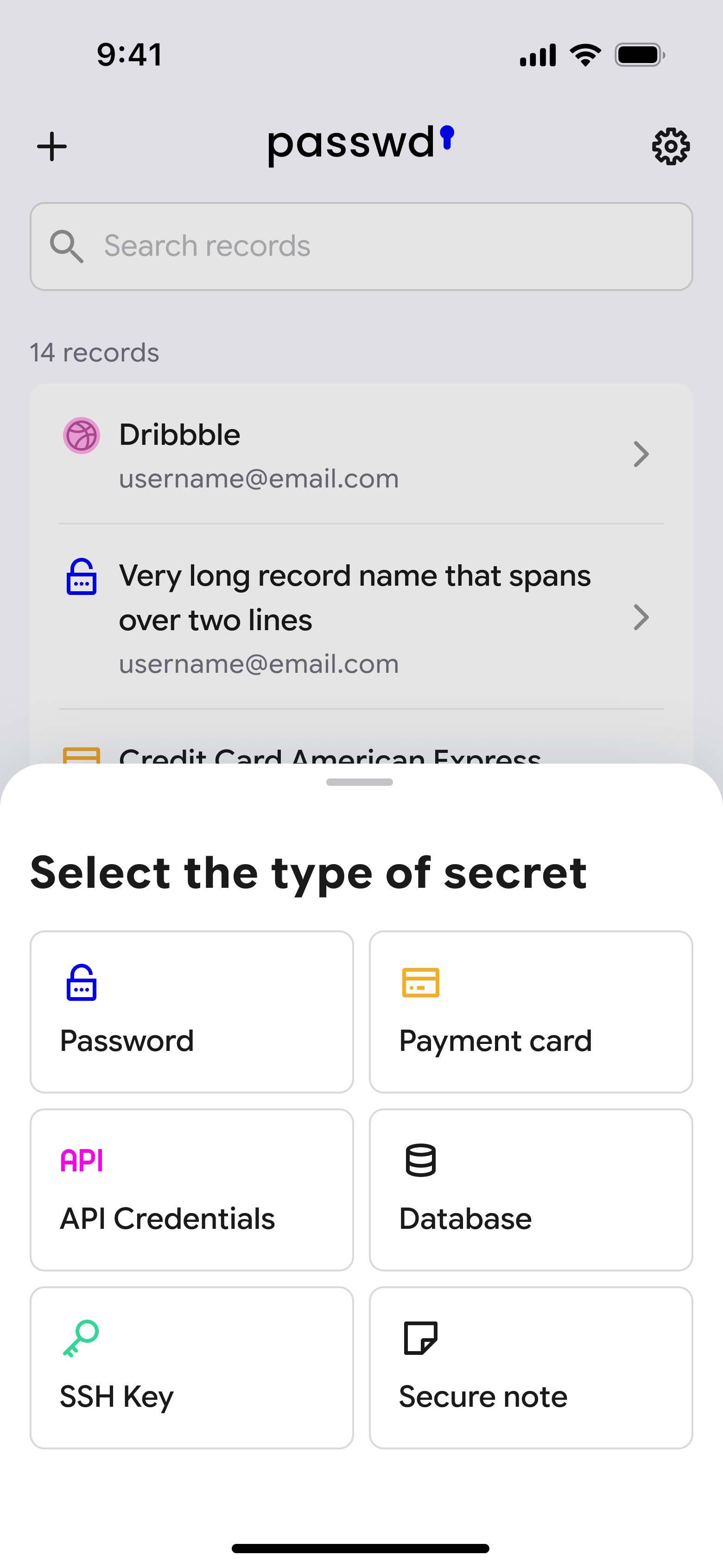
Tap the + button in the top left corner of the record list. A menu will appear asking you to select the type of secret you want to create — Password, Payment card, API Credentials, Database, SSH Key, or Secure note. Learn more about each type in Secret Templates.
2. Fill in secret details
Fill in the details for your secret. The fields depend on the type you selected, but all types include a Record name (required) and optional fields for tags, attachments, and a note.
For password records, you can also add a URL to enable autofill, and a 2FA secret key to generate one-time codes directly in the app.
3. Set sharing permissions
After filling in the details, tap Continue setup to proceed to the sharing screen. Here you choose who can access the secret — by Groups or Specific users. Access permissions are based on group membership and user roles.
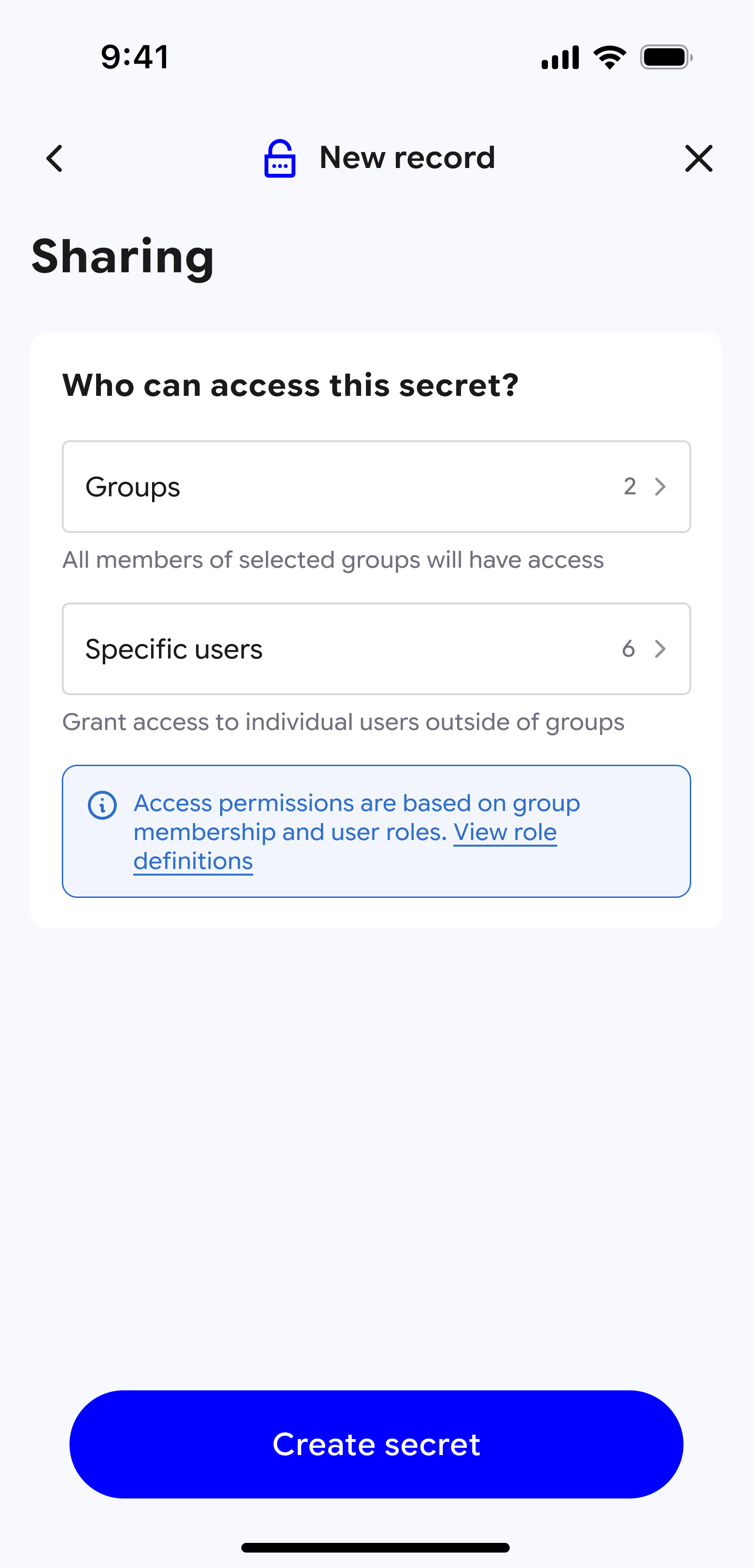
Tap Create secret to save the record.