Passwd admins
By default, Passwd admins are the same as admins in your Google Workspace. This feature lets you decouple the two — you can promote any user to Passwd admin or demote them back to a regular user, independently of their Google Workspace role.
Admins can see all records in the workspace and have access to administrative features such as User administration, Security audit, and Settings.
User administration
Navigate to User administration in the left sidebar. You'll see a list of all users in your workspace with their email, group memberships, and current role.
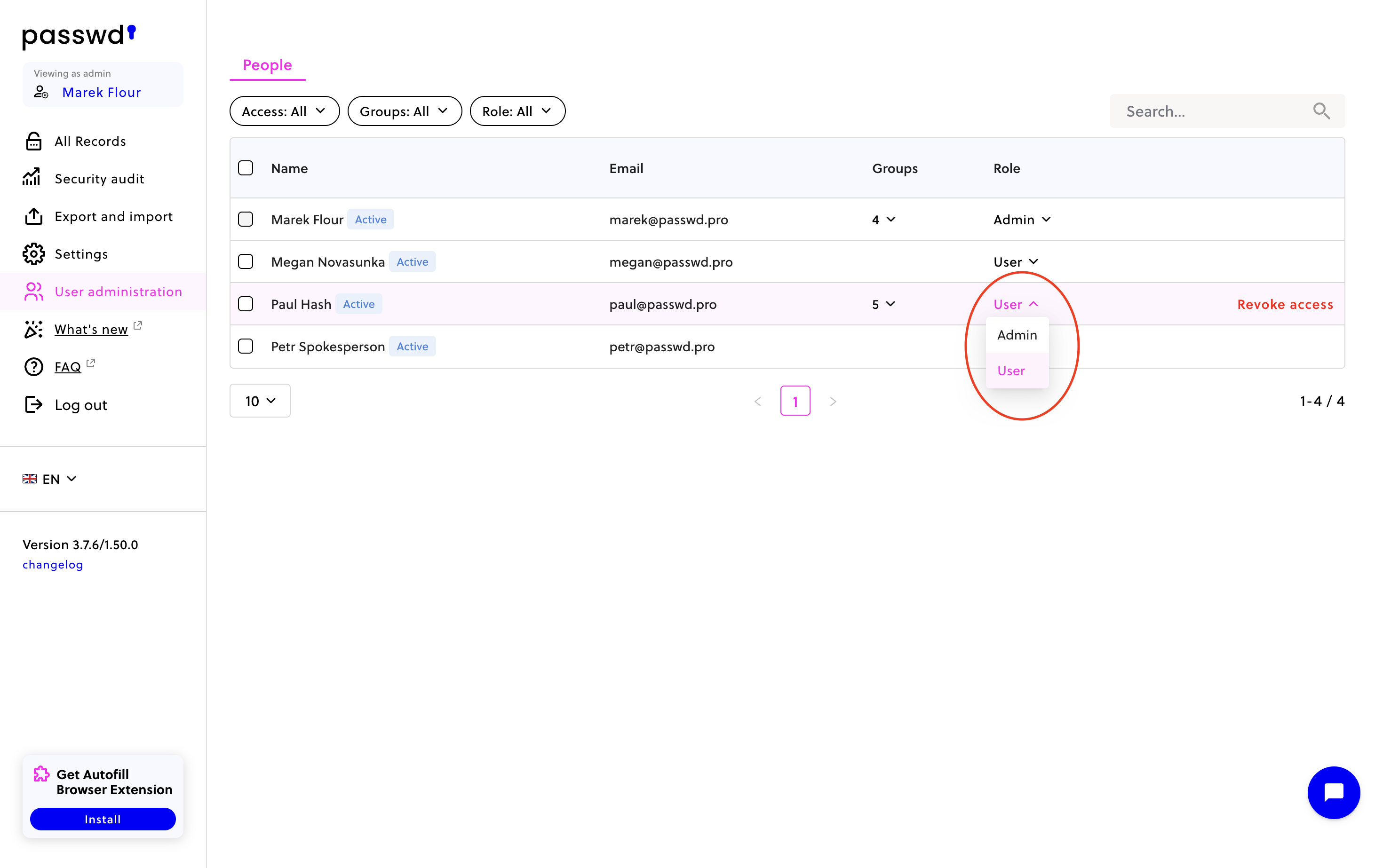
To change a user's role, hover over their row and click the Role dropdown. You can switch between Admin and User. To remove a user's access to Passwd entirely, click Revoke access.
You can filter the list by access status, group, or role using the filters at the top of the page.
Troubleshooting
Tier: Enterprise
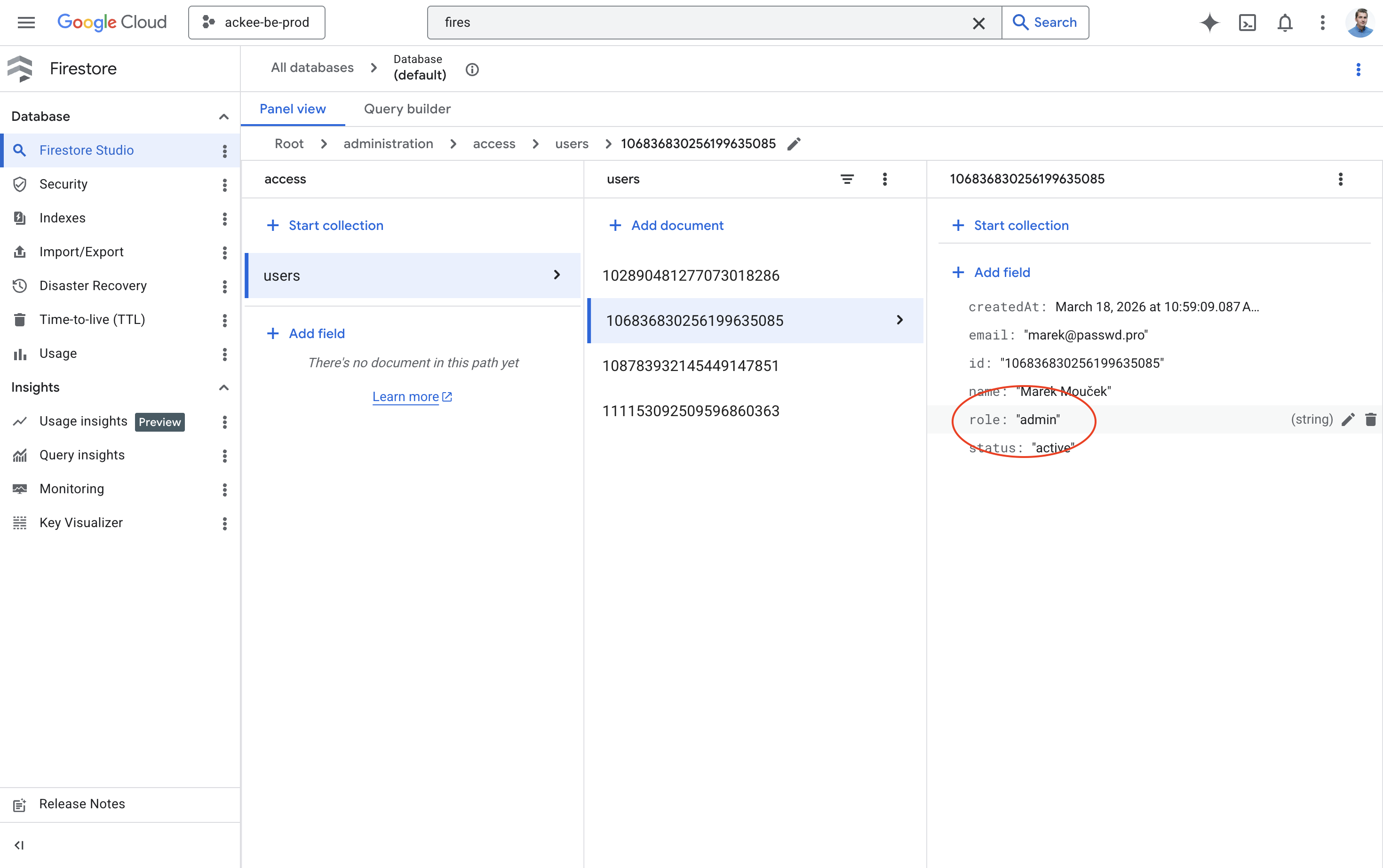
If you have lost all admin access to Passwd, you can restore it directly via Google Cloud Firestore:
- Open your Passwd GCP project and navigate to Firestore
- Select the active database (usually (default))
- Browse to administration > access > users
- Find the user you want to make admin and open their document
- Set the role field to
admin