Temporary sharing
Tier: Starter, Professional, Enterprise
You can generate a secure, time-limited link to a record that stays valid for 24 hours. Anyone with the link can open it without signing in to Passwd, so it is a convenient way to give access to clients, contractors or team members outside your Workspace for a limited time.
Create a link
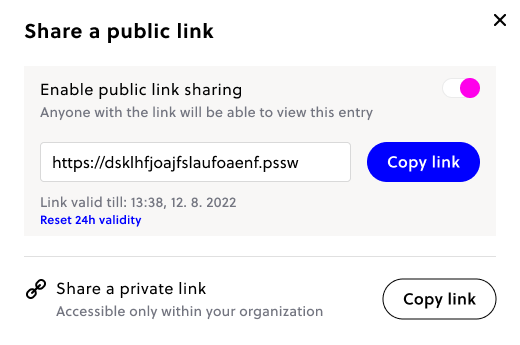
Open a record and click the Share button in the upper right corner to create a link. The recipient lands on a dedicated screen where they can copy the credentials within the 24-hour window. If the record has a 2FA code, the recipient sees the current code too, so they can complete a login.
Extend or disable a link
A link is valid for 24 hours. Before it expires, you can extend it by another 24 hours, as many times as you need. You can also disable it at any time, which makes the link stop working immediately. After a link expires or is disabled, a new one can be created from the same record.
What you need to know
- Password records only. Links can be created for records that use the Password template, not for cards, SSH keys or other templates.
- Editor access is required. Only users who can edit a record (Editors, the owner, and admins) can create, extend or disable its link. See roles and whitelist.
- Admins can restrict public sharing. In Workspace settings an admin can limit link creation to admins only, or turn it off. Links that already exist stay valid until they expire.
- Starter allows 2 active links at a time. An active link is one that has not expired or been disabled. Professional and Enterprise have no limit.
- Treat a link like a password. Anyone who has the link can read the record until it expires. Send it through a private channel, and disable it once the recipient is done.
- Creating, extending and disabling a link are recorded in the audit log for Enterprise organizations.